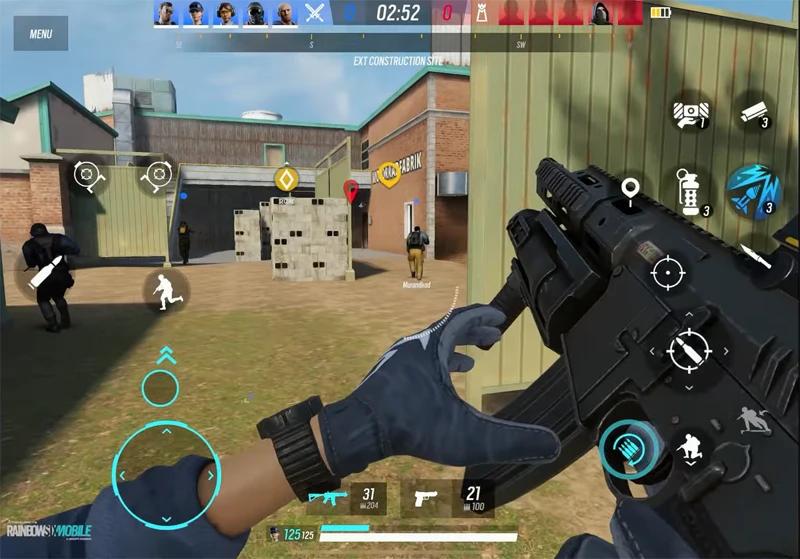
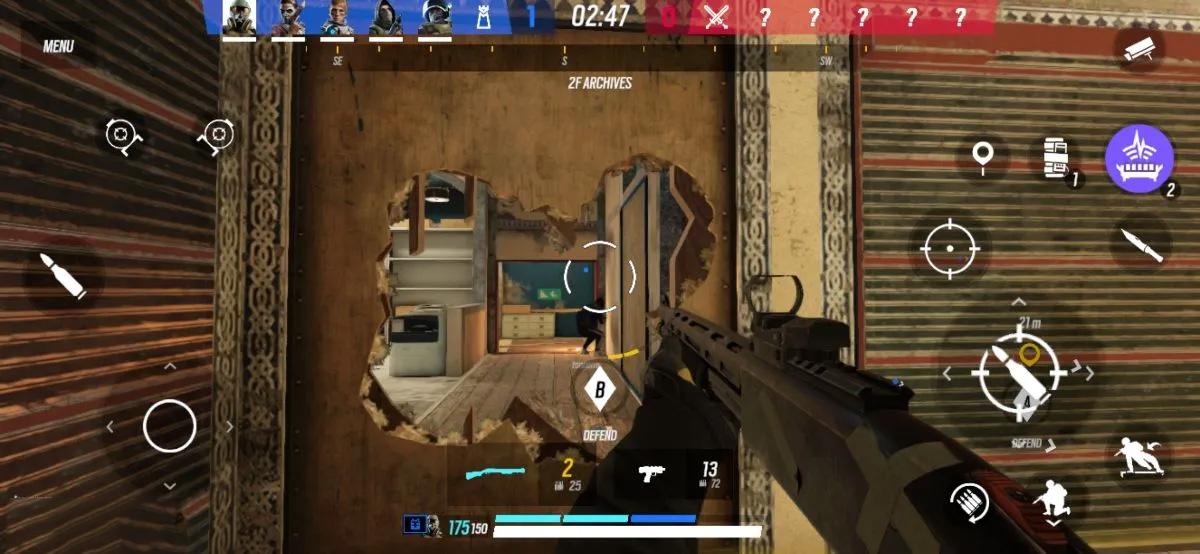
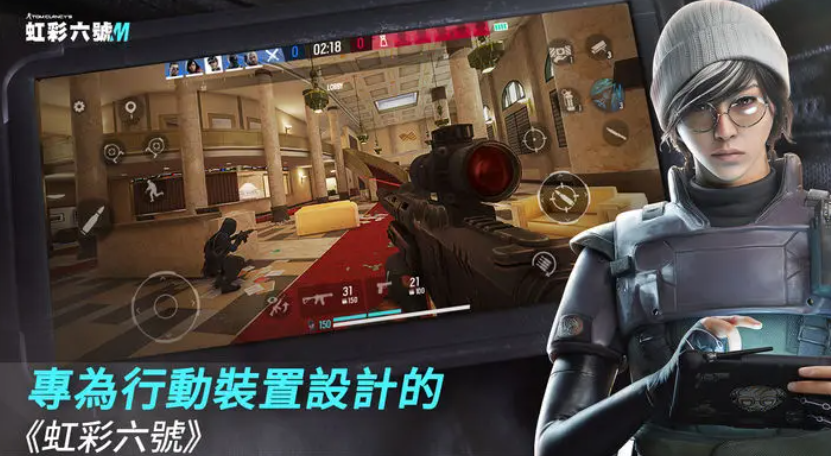
If you've played *Tom Clancy's Rainbow Six Siege* before, the second you open *Rainbow Six Mobile*, you'll definitely think, "This is basically R6 on mobile, but the pace feels adjusted." It's not just a shrunken-down version of the PC port crammed into phones—instead, it's an entirely redesigned experience optimized for touch controls, short match lengths, and mobile device performance.
For players new to the series, the biggest hurdles in your first month won't be about your shooting skills—they'll all be basic questions: Where do I download *Rainbow Six Mobile*? Will my phone run it? Can I use an emulator? How do I link my account? Which operator is easiest for new players to learn?
*Rainbow Six Mobile* officially launched globally on February 23, 2026! It's free to play on both iOS and Android, and the core gameplay is the same familiar 5v5 tactical shooter with attack and defense. From my hands-on testing of the app and as a new player myself, I'll break down the entire process of downloading, installing, setting up, and jumping into matches for you all.
I. What is Rainbow Six Mobile? Game Overview & Series Background
Known as *Rainbow Six Mobile*, this tactical shooter was developed by Ubisoft based on the *Tom Clancy's Rainbow Six* series, built exclusively for mobile platforms.
Its core gameplay structure is almost entirely inherited from *Rainbow Six Siege*: two 5-person teams take on Attackers and Defenders. Attackers use drones to scout, breach walls, and clear defensive obstacles; Defenders set up barbed wire, traps, cameras, and other defenses to delay or eliminate the opposing team entirely.
The biggest difference between this game and other mobile FPS titles is definitely the importance of intelligence—it’s not just about shooting someone when you see them!
Sometimes even if you’re a better shot than your enemy, if you don’t know which room they’re in, which walls can be breached, or which corner has someone waiting to fire, you’ll still go down in half a second. On the flip side, if your team coordinates on positioning, callouts, and flanking, even average shooting skills can lead to some really great rounds!
The game currently keeps maps familiar to *Siege* players, like Bank, Clubhouse, Border, Oregon, and Villa, while also adding new content designed specifically for mobile. Ubisoft’s clear goal for the mobile version is to retain its core systems: attack vs. defense, intelligence gathering, environmental destruction, and operator roles—just adjusting match lengths and controls to work better on mobile devices.
II. How to Download Rainbow Six Mobile
To download Rainbow Six Mobile, the easiest way is still directly through the App Store or Google Play. Unless you’re in a region with genuine store compatibility issues, I don’t recommend trying to install APK files right off the bat.
A. Steps to Download on iOS App Store
For iPhone or iPad players, simply open the App Store and search for “Rainbow Six Mobile”.
Once you confirm the developer is Ubisoft Nova, tap “Get” and verify with Face ID, Touch ID, or your Apple account.
On the Taiwan App Store, the game is listed as about 3.4GB, requires iOS 16.0 or later, and needs at least an A12 Bionic chip or newer—so iPhone XR, iPhone XS, and later models work.
That 3.4GB is just the app size shown on the store—after downloading, you’ll still need to install additional game resources, so the total space it takes up will be bigger. My rule for big shooters is to leave at least 8-10GB free, so you don’t run into storage issues when new maps or seasons drop later on.
B. Steps to Download on Android Google Play
For Android players, just open Google Play, search for “Rainbow Six Mobile”, confirm the developer is Ubisoft Nova, and tap “Install”.
The official minimum Android device requirements released now are:
To play *Rainbow Six Mobile* smoothly, your phone's hardware must meet these basic requirements: the system must be Android 9 or higher, and at least 4GB of RAM is needed. Official minimum test device examples include Galaxy A05, Oppo A15, Galaxy S8, and Redmi Note 13. You can refer to these models to check if your phone can run the game.
However, being able to install the game and playing it smoothly are two completely different things. Don't think that meeting the minimum requirements will give you a smooth gaming experience.
If your phone only has 4GB of RAM, we recommend testing the game's smoothness starting from low graphics settings and a benchmark of 30 to 60 FPS. If you have a mid-to-high-end device released in recent years—like those with Snapdragon, Dimensity processors, or flagship Galaxy phones—you can then consider increasing the shadow quality, screen resolution, and in-game frame rate. This way, you can save resources while improving your experience.
C. APK Sideload Installation Guide
If Google Play Store can't download *Rainbow Six Mobile* due to region locks, device compatibility issues, or version problems, many Android players will choose to sideload the game using an APK file.
The basic steps for this kind of installation are: first download the correct APK version for your device, then go to your phone's "Settings > Security" or "Special App Permissions" to allow the browser or file manager to "install apps from unknown sources", and finally run the downloaded APK file.
But here, I must give you a special reminder: The top priority for downloading *Rainbow Six Mobile* is ALWAYS Google Play!
After all, this is an FPS game that requires long-term version updates, account binding, and online matches. If you use a modified APK or an outdated version, you'll likely run into login issues, update failures, or even account security risks. If you really have to use sideloading, make sure to carefully check the APK's package name, version number, and digital signature. Never install files labeled with tempting things like "cracked version" or "unlimited platinum"—avoid those pitfalls at all costs.
III. Downloading *Rainbow Six Mobile* for PC and Important Notes on Emulator Installation
Next, we'll talk about the download channels for *Rainbow Six Mobile* on PC and the key points of installing emulators. Let's start with the most important thing:
Ubisoft has officially stated that *Rainbow Six Mobile* does NOT support playing on emulators!
So even though mainstream tools like MuMuPlayer, BlueStacks, and LDPlayer have game pages or claim to install the game, these are all third-party alternatives. They can't guarantee that every version will let you log in, match stably, or play smoothly—they might even stop working after a game update. You have to pay attention to this point.
If you just want to try the big-screen and keyboard-mouse experience, you can give it a go. But if you plan to play ranked matches or level up long-term, I'd suggest using officially supported phones, tablets, or pairing a game controller—this will be way more stable.
A. MuMuPlayer Emulator Installation Guide
Installing the MuMuPlayer emulator is super simple: first finish installing the software, then launch the emulator and log in to your Google account.
Next, go to the Google Play Store inside the emulator, search for "Rainbow Six Mobile", and click install once you find the game. MuMuPlayer actually has a dedicated page for *Rainbow Six Mobile* and related instructions for playing on PC.
If the game starts and runs normally, you can also go to the emulator's settings interface, increase the CPU allocation to 4 cores or more, set the RAM to between 6GB and 8GB, and start testing with a resolution of 1920×1080—no need to crank it up too high from the start.
Here's a reminder: *Rainbow Six Mobile* cares more about stable frame rates than the highest graphics quality, so don't max out all settings right away.
B. BlueStacks Emulator Installation Guide
The installation process for BlueStacks is almost the same as MuMuPlayer—super simple.
The detailed steps are: install BlueStacks → log in to your Google Play account → search for "
Click to install Rainbow Six Mobile, then launch the game.
BlueStacks has a built-in keyboard mapping tool, so you can customize keys to fit your playstyle. For example, set movement to WASD, crouch to C, reload to R, and assign primary weapons/throwables to number keys for smoother gameplay.
BlueStacks does offer official installation guides for *Rainbow Six Mobile*, but let’s make this clear: the installation options here are only from the emulator itself — this does NOT mean Ubisoft officially supports playing the game on this platform.
C. LDPlayer Installation Guide
Installing LDPlayer isn’t complicated either: just finish the software setup, log into your Google account, then search for the game in the emulator’s built-in Google Play Store.
If the game runs smoothly, I recommend setting your CPU allocation to 4-6 cores, RAM to ~6GB, then test both OpenGL and DirectX modes to see which is more stable on your PC’s graphics card — this will help prevent issues later.
LDPlayer also has a dedicated page for *Rainbow Six Mobile* on PC, with helpful installation and setup tips.
However, if you run into crashes, black screens, device compatibility issues, or failed matchmaking while playing, don’t immediately blame your PC’s performance. Remember: LDPlayer is NOT officially supported by Ubisoft for this game, so that’s a critical point to keep in mind.
IV. Rainbow Six Mobile System Requirements & Key Game Notes
Now I’ll share the details of Rainbow Six Mobile’s system requirements, plus some important things to note about the game itself. Let’s break it all down!
File Size
To sum up: Official minimum requirements for Android are Android 9 or newer, 4GB RAM; for iOS, you need at least an A12 chip. On Taiwan’s App Store, you also need iOS 16.0 or newer to install the game.
If your phone is right at the minimum specs, I recommend lowering the graphics first — stable frame rate is way more important than fancy visuals.
The most annoying thing about shooters isn’t cool wall textures — it’s when you lean out to peek and your frame rate drops by 10+ FPS out of nowhere.
Right now, the game’s install size on Taiwan’s App Store is around 3.4GB, but you’ll want to leave extra space for future updates and additional resources.
V. Rainbow Six Mobile Account Login & Linking Guide
After launching the game for the first time, don’t just jump in like it’s a casual pick-up match. Account linking should be your top priority.
You can currently link your Ubisoft Connect account through the Account & Legal page in the game settings. Once linked, your progress will sync across devices. Ubisoft is also giving out bonuses for linking: players who don’t have Dokkaebi yet will unlock her automatically, while existing players get 30,000 Renown.
So here’s what I recommend new players do first when they boot up the game: Go to Settings → Account & Legal → Ubisoft Connect → Log into your Ubisoft account → Confirm the link.
Do this early, and you won’t have to deal with account headaches when you switch phones or tablets later.
VI. Best Settings for Rainbow Six Mobile on PC
A. Graphics & Frame Rate Settings
Whether you’re playing on mobile or testing an emulator, I always recommend putting “stable frame rate” as your top setting priority.
The official update has unlocked the 60FPS option for all devices now, and the available graphics quality levels depend on your device’s RAM.
For mid-range phones: Set frame rate to 60FPS, graphics to Medium-Low, shadows to Low, effects to Medium-Low.
For high-end phones: Keep 60FPS, then gradually crank up texture and graphics quality levels.
If your phone overheats or drops frames after a match, your settings are too high. Stable FPS is always more important than maxed-out graphics.
B. Keyboard & Mouse Controls & Key Customization
If a third-party emulator runs smoothly, you can set up controls like this: Movement to WASD, Sprint to Shift, Crouch to Ctrl or C, Reload to R, Peek to Q/E, Left Mouse Button for Fire, Right Mouse Button for Aim.
However, the feel of this setup...
It's closer to PC FPS, but might feel off for mobile-only players' muscle memory. Since Ubisoft doesn't officially support emulators, I wouldn't recommend this setup as your main pick for ranked matches.
VII. Rainbow Six Mobile Beginner's Guide
A. Basic Controls & Aiming Tips
The most common mistake new players make is charging straight ahead as soon as they spawn in.
Rainbow Six Mobile's TTK (Time To Kill) isn't very long, so one missed peek around a corner can end the whole round instantly. Instead of spamming flick shots, I recommend mastering "pre-aiming" first.
Before entering a room, keep your crosshair at head height where enemies might peek from. Don't rest it on the floor around corners—by the time you spot an enemy and flick up, it's usually too late.
Also, footsteps, gunfire, and intel from your drone are way more important than you think. Pros don't have psychic powers—they just gather that info faster than you do.
B. Map & Breaching Tactics
What makes Rainbow Six Mobile so fun is that nothing in the maps is set in stone.
Soft walls, doors, some floors, and entry points can all be destroyed with guns or breach charges.
So don't stick to the main door every time.
If the defenders are holding the door, an Operator like Thermite or Hibana can create a new entry from the other side. Sometimes you don't even need to blow a whole wall—just a small hole gives you a new angle to shoot from.
A big gap between new and experienced players often isn't aim—it's knowing "which wall has enemies hiding behind it."
VIII. Operator System Guide
A. Attack Operator Recommendations
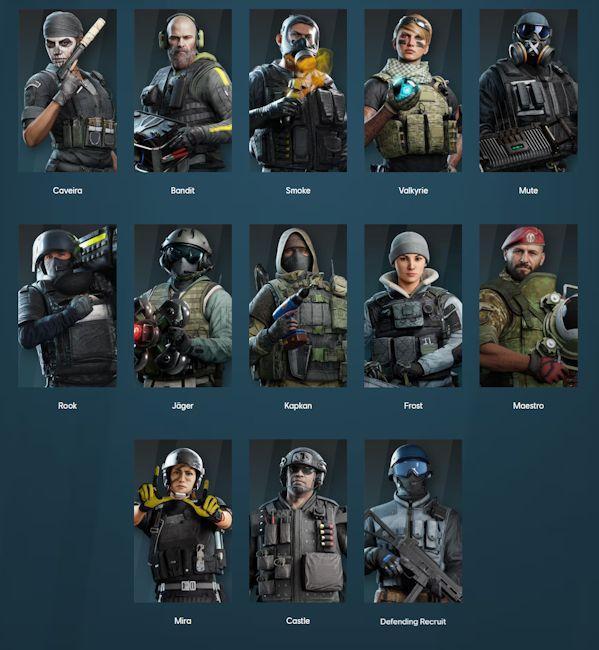
When you first play Attack, I suggest starting with Sledge, Thermite, Hibana—Operators with clear, straightforward roles.
Sledge is perfect for learning the game's destruction system—his hammer makes it obvious what to do when you see a soft wall or barrier.
Thermite is the go-to for breaching key walls for your team—his ability is ready to use the second your squad needs a door.
Hibana has flexible breaching options—once you get the hang of her, you can create all kinds of unexpected angles to shoot from.
For new Attack players, don't prioritize kills—master these first: drone recon, calling out enemy positions quickly, and pushing with your team.
B. Defense Operator Recommendations
New Defense players should start with Rook, Kapkan, Valkyrie—easy to pick up and effective.
Rook is super simple: place his armor packs at the start of the round, and he's already helping his team.
Kapkan puts traps on doors and windows—perfect for new players learning enemy attack paths.
Valkyrie is all about intel—place her cameras in good spots, and even if you don't get kills, you'll keep your team informed of enemy positions.
IX. Ranked & Quick Play Guide
When you start, play Quick Play first to learn maps—don't rush into Ranked as soon as it's unlocked.
The best part of Quick Play: you can test different Operators, adjust your sensitivity, and get familiar with maps at your own pace.
Ranked is a whole different beast.
In Ranked, team communication, Operator synergy, breach callouts, and peeking positions all decide wins and losses. The current ranking system uses Valor XP based on match results and personal performance, and Ubisoft will keep adjusting promotion, Shield, and performance weights through 2026.
My tip: Master at least 2 Attack and 2 Defense Operators before hitting Ranked. Don't stick to one Operator—if your teammate picks it, you'll be stuck not knowing what to do.
X. In-App Purchases & Platinum Guide
Rainbow Six Mobile is free to download, but it has paid content: Platinum currency, Battle Passes, and skins.
Current Taiwan App Store prices: 100 Platinum ≈ NT$60, 250 Platinum ≈ NT$150, 560 Platinum ≈ NT$320, 1200 Platinum ≈ NT$690, 3100 Platinum ≈ NT$1,490. The Premium Battle Pass is about NT$320, but prices may change per platform or event.
If you're a new player who just downloaded Rainbow Six Mobile, don't spend a ton of money on day one.
Play for a few days, make sure you actually love the tactical attack/defense gameplay, then think about buying a Battle Pass or skins. This
The real factors that decide matches in this game are map knowledge, intel gathering, and marksmanship—not how expensive a skin you bought.
XI. Comparison Between Rainbow Six Mobile (R6M) and Rainbow Six Siege (PC Version)
Both games look similar, but their actual design goals aren’t exactly the same.
Rainbow Six Siege on PC has more complex controls, deeper tactical details, and a higher skill ceiling with mouse and keyboard aiming. Meanwhile, Rainbow Six Mobile (R6M) reworked the HUD, touch controls, and match rhythm to fit the mobile gaming environment better.
The mobile version also has its own unique content and update schedule—like exclusive maps and special events—and the official team has emphasized that this is a mobile-optimized remake, not just a port of the PC Siege.
If you’re a veteran Siege player, you might notice some differences in movement, turning, and animations when you first start playing R6M—and that’s totally normal.
But the core gameplay loop stays the same: intel gathering > positional awareness > team coordination > raw marksmanship.
XII. Rainbow Six Mobile Player Reviews and Rating Analysis
Right now, the player ratings across different platforms are pretty interesting.
So far, the rating on Taiwan’s App Store is around 3.5/5 from 442 reviews; on Google Play, it’s about 4.5/5 with over 120,000 reviews and more than 10 million downloads.
Looking at the Taiwan App Store reviews, many veteran Siege players say the touch controls aren’t as smooth as PC’s, and some want the dev team to keep optimizing latency, animations, and high frame rate support. On the flip side, lots of players are stoked to finally experience R6’s attack/defend and wall-busting gameplay on mobile.
From a review perspective, my favorite part is that it has a level of tactical depth rarely seen in mobile FPS games.
The downsides are obvious too: lots of touch buttons, a steep learning curve, and if you’re used to PC, you’ll likely find turning and peeking on mobile a bit clunky at first.
But if you stick with it through the first few hours of getting used to it, R6M is super addictive—since enemy positions change every match, it’s not just a repetitive grind.
XIII. Rainbow Six Mobile (R6M) Frequently Asked Questions and Game Support
Q: Is Rainbow Six Mobile (R6M) officially released yet?
A: Yep! The game is now out globally, and you can download it on iOS and Android via their respective app stores.
Q: Is R6M free to play?
A: The base game is free to download, but it has in-app purchases—like in-game premium currency and Battle Passes—that you can buy with real money.
Q: What’s the minimum RAM required to run this game?
A: The official minimum for Android is 4GB of RAM, and Android 9 or newer.
Q: Can iPhone XR run this game?
A: Yes! The official minimum chip is the A12, and the Taiwan App Store lists iPhone XR as a supported device—just make sure your iOS is updated to 16 or newer.
Q: Can I play R6M on a PC emulator?
A: The official line is no, emulators are not supported. While third-party tools like MuMuPlayer, BlueStacks, and LDPlayer may have ways to install it, Ubisoft can’t guarantee compatibility or a good experience on those platforms.
Q: Why can’t I download the game suddenly?
A: The game’s age rating has been raised in most regions, so accounts that don’t meet the required age might be blocked by platform or parental controls.
Q: What should I do if I keep getting high latency or disconnections?
A: First, check if your Wi-Fi, 4G, or 5G is stable, close any apps downloading a lot in the background, then log back in. If you still have issues like error codes, account access problems, or payment errors, report them through in-game support or Ubisoft Mobile Player Support—they have a dedicated team for Rainbow Six Mobile.
Let’s Wrap This Up
Rainbow Six Mobile isn’t your typical mobile FPS—you can’t just download it and charge in blindly within five minutes. Its real charm lies in packing all the core mechanics from the PC version of *Rainbow Six Siege* into the mobile platform: intel gathering, attack vs. defense showdowns, operator teamwork, holding positions, environmental destruction—all condensed perfectly for mobile play.
If you’re searching for Rainbow Six Mobile download just to get a fast, casual shooter where you can slide around and gun enemies down easily, this probably isn’t the right pick for you. But if you love studying maps, listening for enemy footsteps, playing mind games with intel, and even getting that rush from thinking “I don’t see them, but they’re definitely hiding behind this wall” — R6M is hands down one of the most unique tactical mobile FPS titles available right now.
New players, don’t rush into ranked matches at first. It’s best to finish downloading, link your Ubisoft Connect account, take time to tweak your HUD, sensitivity, and 60FPS settings to what feels most comfortable, then run through the main maps in Training Mode a few times to get familiar. Once you figure out which walls can be breached and which spots are easy targets to get pinned at, you’ll realize the real challenge here isn’t “can you control recoil” — it’s whether you can make the right tactical decision before the other team does.