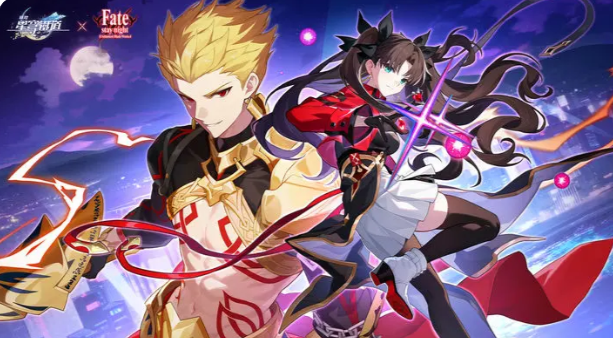
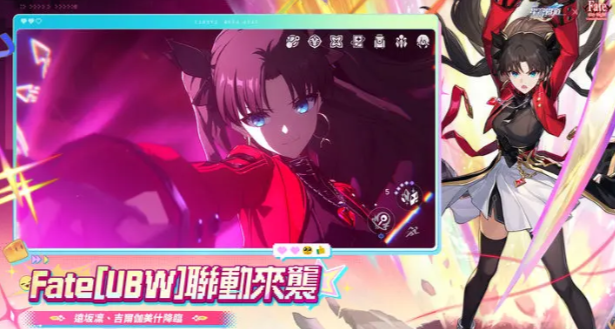
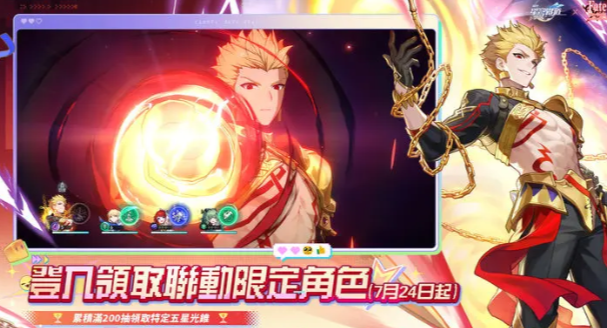
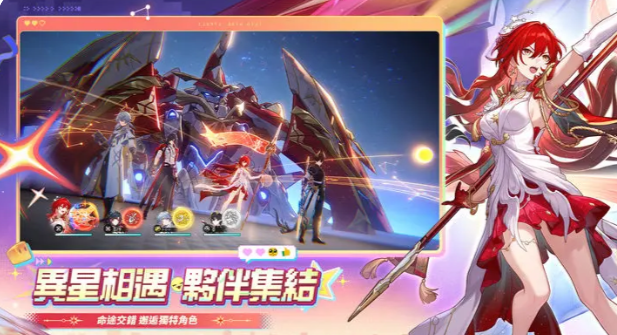
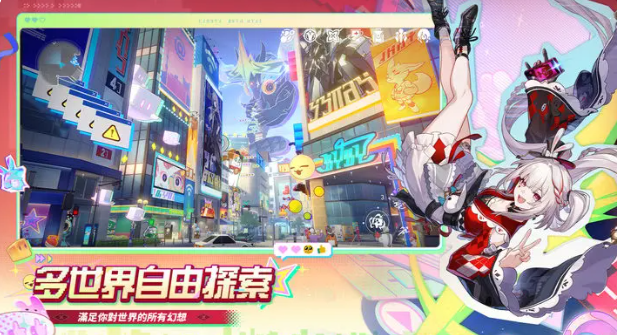
If you’re just starting your search for info on Honkai: Star Rail download lately, the first thing you need to figure out isn’t the nitty-gritty of pulling characters—it’s whether the mobile or PC version is a better fit for you. Honkai: Star Rail is a turn-based RPG, so it’s not as reliant on fast reactions as action games, but its character models, scene animations, skill cutscenes, and tons of voice lines are super detailed. So no matter if you play on mobile or PC, the actual install size is pretty big.
I’d classify this game as the perfect pick for long-term, gradual progression. When you’ve got a spare minute at work or school, it’s super easy to burn through Stamina on mobile. And when you get home and want to binge the story or grind hard stages, switching to the PC big screen works perfectly too. Most importantly, it supports cross-platform progress sync via HoYoverse accounts. As long as you pick the right account and server, you can pick up your same game save on PC, Android, iOS, or PlayStation—no matter which device you use.
The game is still rolling out massive content updates, and the official store page shows Honkai: Star Rail is now in the 4.X era. Compared to the early versions, there are way more characters, gameplay mechanics, and endgame content available now. That’s why this guide won’t just teach you how to download it—I’ll also cover account cross-save, system requirements, beginner team building, gacha pulls, Relics, Simulated Universe, and current character cultivation strategies all in one place.
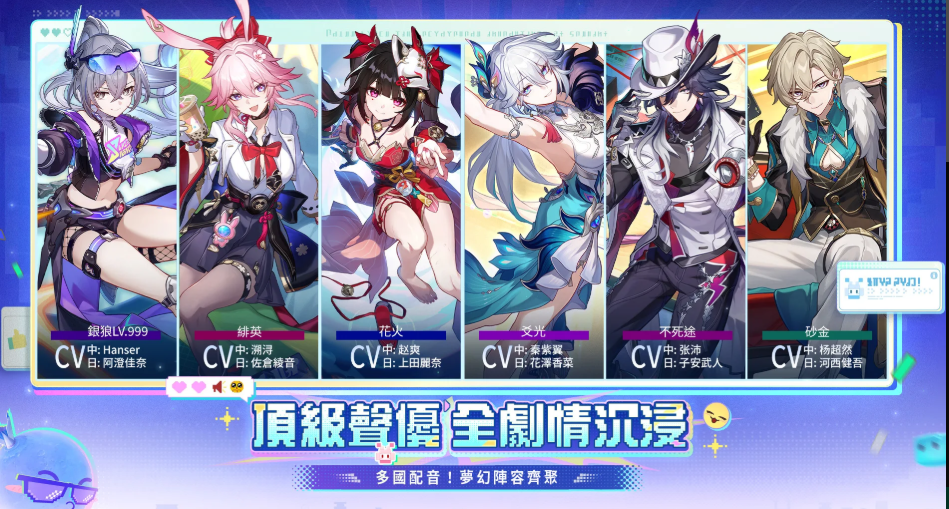
I. What is Honkai: Star Rail? Game Overview & Lore
Honkai: Star Rail is a space fantasy turn-based RPG developed by HoYoverse. You play as a "Trailblazer", joining characters like Himeko, Welt, Dan Heng, and March 7th aboard the Astral Express to travel across planets and civilizations, while investigating disasters caused by "Stellaron". The game is officially categorized as a sci-fi fantasy RPG, and its core combat is turn-based, featuring speed-based turn order, Weakness Break, Skill Points, and Ultimate abilities.
What makes it most special is its lore that’s not tied to a single planet. From Herta Space Station, Jarilo-VI, Xianzhou Luofu to Penacony, and even new worlds coming in future updates, every area has totally different art styles, cultures, and story vibes—playing it feels like bingeing a huge sci-fi anime while riding a train.
Combat isn’t just about "who’s faster attacks first". Each enemy has elemental weaknesses, like Physical, Fire, Ice, Lightning, Wind, Quantum, and Imaginary. If you use the right element to deplete an enemy’s Toughness, you’ll trigger Weakness Break, then pair that with follow-up attacks, DoT (Damage over Time), Super Break, summons, or other mechanics to deal massive damage. The official game guide already lists Weakness Break, follow-up attacks, and DoT as core tactical elements now.
So I think its biggest advantage isn’t just "pretty characters"—it’s the real difference in team building. Even with the same 5-star main DPS, pairing them with different supports and sustain characters can make the whole team’s strength and playstyle totally different.
II. Overview of Honkai: Star Rail Download Methods
Getting Honkai: Star Rail download is actually super easy now. Mobile players can mainly go through the App Store or Google Play, while Windows players can choose the official PC client or Epic Games Store. Epic Games Store still offers Honkai: Star Rail for free download right now.
A. iOS App Store Download Steps
For iPhone or iPad players, just open the App Store, search for "Honkai: Star Rail", confirm the developer is COGNOSPHERE PTE. LTD., then tap "Get" to download.
Right now, the initial size of the app on Taiwan’s App Store is about 3.7GB, and you need iOS 13.0 or later to install it.
But don’t think 4GB of free space is enough just because the App Store says it’s 3.7GB—that’s just the installer package size. Once you launch the game for the first time, it’ll keep downloading characters, maps, voice lines, and version resources.
If your phone’s free space is always squeezed down to
If you push it to the absolute limit, future updates will be a total pain.
B. A
Android Google Play Download Steps
Android players, open the Google Play Store, search for “Honkai: Star Rail” – double-check that the developer is COGNOSPHERE before tapping Install to avoid grabbing the wrong version!
Right now, the official Android version of the game is still on Google Play, and it’s already been downloaded over 10 million times!
The whole process is super straightforward: Open Google Play → Search for the game name → Tap Install → Launch the game → Log into your HoYoverse account → Pick your server → Wait for the full resource pack to finish downloading, and you’re all set!
Quick heads-up for Android players: The main issue isn’t whether you can install it – it’s that performance varies a lot between different phone brands! If you’re on an older mid-range device, we suggest starting with low or medium graphics settings when you first boot up the game. Once you get comfortable, you can crank up the settings gradually. Don’t max everything out right away, or you’ll hit major lag!
C. Epic Games Store Download Steps
If you’re on a Windows PC, you can also grab Honkai: Star Rail download via the Epic Games Store!
First, install the Epic Games Launcher, log into your Epic account, search for “Honkai: Star Rail”, add it to your library, and click Install. The official PC version is still available on the Epic Store right now.
But if you don’t use Epic much, we actually recommend sticking with the official HoYoverse game launcher instead – it’s way more convenient! The reason is simple: No extra platform login step, and updating the game is way simpler to manage.
III. Honkai: Star Rail PC Download & Emulator Setup
Here’s a common mix-up new players have: Honkai: Star Rail already has an official Windows PC version, so you don’t need an emulator at all under normal circumstances!
If your PC can run the PC client smoothly, we definitely recommend going with the official PC version first – the overall experience is way better.
Emulators really only make sense if you want to test the Android environment, manage different Google Play accounts, or if you just prefer the Android version’s interface for personal reasons.
A. BlueStacks Emulator Setup Guide
BlueStacks still offers an Android emulator solution for Honkai: Star Rail. The official setup is super easy: Install BlueStacks, log into Google Play, search for the game, then download it.
The installation steps are totally intuitive: Download BlueStacks → Finish installing → Log into your Google account → Open the Play Store → Search for Honkai: Star Rail → Click Install, and you’re good to go!
If your PC has 16GB of RAM, we suggest allocating 6GB to 8GB to the emulator for smooth performance; assign at least 4 CPU cores, and pick the 64-bit Android environment.
But we’ll say this again: If you just want to play the game on PC, the official PC client usually uses fewer resources and gives a more stable experience than an emulator.
B. MuMu Emulator Setup Guide
MuMuPlayer also has an emulator version for Honkai: Star Rail, and the official page lists setup steps for both Windows and Mac: Download MuMuPlayer, log into Google Play, search for the game, then you can install it.
The best thing about MuMu is that its settings are super easy to figure out. If your PC is powerful enough, you can turn on high-resolution and high-FPS modes while playing.
But turn-based games aren’t like FPS games – there’s no need to fry your PC just to get super high frame rates! The important stuff is smooth skill animations and no stuttering when switching scenes, which is way more useful than pushing those numbers to the max!
C. LDPlayer Emulator Setup Guide
Lei
LDPlayer Android emulator now also has a dedicated page and installation guide for *Honkai: Star Rail*. The process is just as simple: install LDPlayer, head to its app store, search for the game, and download the Android version.
If you run into game crashes, you can check these points first: enable VT virtualization in your BIOS, use a 64-bit emulator, update your graphics driver, and don’t run too many emulator instances at once~
But still, like I always say: If there’s an official PC version available, I strongly recommend using that first. Emulators are just a backup option!
For PC, go for the official version first.
IV. Honkai: Star Rail System Requirements & Device Analysis
A. PC Minimum & Recommended Specs
The minimum PC specs Epic Games Store has listed include an Intel Core i5 processor, 8GB of RAM, and a graphics card at the level of GTX 650 or above. As for the recommended GPU, the GTX 1060 or higher model is suggested.
The official previously released recommended PC specs that listed a Core i7 processor, 8GB of RAM, and a discrete graphics card at the GTX 1060 level.
Based on the actual gaming experience of players nowadays, I personally recommend this configuration:
Entry-level playable level: A Core i5 or Ryzen 5 processor, 8GB RAM, and a GTX 1050 Ti-level graphics card are enough to launch the game smoothly.
More comfortable gaming experience: A newer Core i5 or Ryzen 5 series processor, 16GB RAM, and a graphics card of GTX 1660 or RTX 2060 and above can avoid frame drops when using high settings in the late game.
If the game is installed on an SSD, the waiting time for loading maps, fast travel nodes, and decompressing update files will be greatly shortened, making the gaming experience smoother.
B. Mobile Device Requirements
The official minimum benchmark specs for Android phones released previously require at least a processor at the level of Snapdragon 835, Dimensity 720, Kirin 810 or above, 4GB RAM, and an operating system of Android 8.0 or above.
For iOS users, currently the Taiwan App Store shows that iOS version 13.0 or above is required to install the game.
But I don’t recommend choosing a mobile phone only based on "minimum requirements"!
The minimum requirements only mean that the phone can launch the game, but it doesn’t mean it can run smoothly for a long time. If you want to play comfortably for a long time, I would recommend at least choosing a mid-to-high-end processor from the last two or three years, and Android phones with 6GB to 8GB RAM are especially suitable. Especially when playing late-game maps, high combat special effects, and gorgeous character animations, old phones are prone to overheating and frequency reduction when using high image quality, which will affect the gaming experience.
V. Honkai: Star Rail Account Cross-Play & Cross-Platform Login
This should be one of the most considerate designs of *Honkai: Star Rail*.
Currently, the official supports game progress synchronization across multiple platforms including PC, Android, iOS, and PlayStation. As long as you log in with exactly the same official HoYoverse account, you can access the same game save file, so you don’t have to worry about progress being disconnected between different platforms.
For example, you can finish your stamina on your Android phone in the morning, then go home and open your PC to log in to the same account, and continue playing from where you left off yesterday.
However, there are two small pitfalls that are easy to overlook and must be avoided.
The first one is different login methods do not equal the same account. For example, if you directly log in to the game with a Google account, and a HoYoverse account you registered with a Gmail address, they may be regarded as different accounts in the official system. The official specially reminds that for login methods such as Apple ID, Game Center, Google, and email login, you need to pay attention to the binding status of the account, so as not to log into the wrong account and waste time.
The second one is never pick the wrong server.
Currently, servers in different regions such as Asia, Europe, and the Americas have independent game data, and the official does not currently provide cross-server transfer or merging services.
Taiwanese players usually choose the Asia server, so when you enter the game for the first time, you must confirm it clearly, don’t pick the wrong one and waste the hard-earned characters you leveled up.
VI. Honkai: Star Rail Game Size & Update Downloads
Many players who installed *Honkai: Star Rail*
The first thing that’ll surprise you is probably: “Why do I need to download a bunch more stuff after finishing the game’s install?”
This is totally normal, don’t panic.
The ~3.7GB shown on the App Store is just the initial installer. The full game client includes map assets, story cutscenes, character voices, and files for future updates, so it takes way more space than that initial download.
Plus, Honkai: Star Rail is a live service game that keeps getting updates. Every version adds new areas, characters, and events, so the game’s storage size will keep growing over time.
I’d recommend mobile users leave more free space than the game’s current size—updates usually need extra room to temporarily store downloaded files and unzip them.
Same goes for PC players.
If you have less than 20-30GB of free hard drive space, I don’t recommend forcing an update. Especially during pre-loads for big version patches, old and new assets sometimes coexist temporarily, so you’ll need more space than usual to update smoothly.
VII. Honkai: Star Rail New Player Progression Guide
A. Beginner Banner & Early Pull Recommendations
One of the biggest mistakes new players make is spending all their Stellar Jades on the regular Stellar Pass.
Don’t do that, trust me.
Stellar Jades are a super valuable resource here—you should save them for limited-time characters and their signature Light Cones. Regular Stellar Passes are easy to get later from quests, character levelling, official events, and system rewards, so no need to blow all your Jades early.
As for rerolling for a perfect first pull, Honkai: Star Rail isn’t really ideal for that.
The beginner phase isn’t super short, so many new players get stuck on their early game decisions.
If you pull a survival or general support character from the beginner banner, I’d just start the game—don’t waste hours rerolling for a limited 5-star from the standard banner.
B. Early Game Character Analysis & Team Building Tips
The most reliable team formula for new players is just four words:
Main DPS + Support + Support/Sub-DPS + Survival.
For example, early on, you can use free or easy-to-get damage dealers like Dan Heng, Herta, or Qingque. Pair them with functional supports like Pelageya or Asta, and round it out with a healer like Natasha—that’s a solid team.
Don’t stuff four DPS characters into one team at the start, okay?
You’ll run out of Skill Points super fast.
The basic combat loop in Star Rail is simple: Normal Attacks generate Skill Points, while using Skills spends them. So a good team needs someone to generate points and someone to spend them—that’s key.
Get this concept early, and building advanced teams later will be way easier.
VIII. Honkai: Star Rail Gacha System & Path Mechanics
One of the core parts of progression in Star Rail is Warps—what most people call “gacha pulls.”
There are three main types: Limited Character Warps, Light Cone Event Warps, and Standard Banner Warps.
If you’re F2P (free-to-play) or a light spender, prioritize saving Stellar Jades for characters, not their Light Cones—wait until your main team is solid before going for those.
Characters are categorized by different Paths, each with their own role.
For example: The Hunt is for single-target damage, Erudition is for AoE, Destruction does both damage and unique mechanics, Harmony boosts teammates, Nihility applies debuffs or DoT, Preservation is for defending, and Abundance is healing. Later versions added new Paths like Memory and Pleasure, so there are way more character types and team combos now than early on.
But new players, don’t make the mistake of thinking characters with the same Path are interchangeable.
Two Harmony characters could support totally different teams, and two Destruction characters play very differently too.
IX. Honkai: Star Rail Character Tiers & Strength Analysis
A. T0 5-Star Character Recommendations
Character tiers in Star Rail are some of the fastest-changing in the game, so don’t treat a fixed Tier List as gospel.
As of August 2026’s high-end content rankings, characters like Castorice, Firefly, Archer, Himeko・Nova, and Sparxie are still top-tier in some endgame modes. Supports and survival characters like Cyrene, Sparkle, and Hyacine also have high team value. Each character’s ranking shifts depending on content like Memory of Chaos, Simulation Universe, and Doom Mirage.
So when pulling characters, don’t just ask “Which character is T0?”
The real question to ask is:
I currently have
If you already have three main DPS characters, even a really strong fourth one might not be as useful as a core support that can easily fill out two full teams.
B. Early-Game 4-Star Character Recommendations
Among all 4-star characters, I always recommend beginners to level up characters with clear roles first, like Pelageya (Pela), Esther (Asta), Tingyun, and Gallagher.
4-star characters aren’t useless at all!
Especially 4-stars with high Eidolons – they can be way better than 5-stars that don’t fit your team comp!
Resources are super scarce in the early game, so the last thing you want to do is level up every new character you get to max rank immediately.
I’d suggest focusing on leveling 4 to 6 core characters first. Once your main team is solid, you can expand your roster, and it’ll feel way smoother playing.
X. Honkai: Star Rail Light Cone & Relic Building Tips
Light Cones are basically the exclusive weapons for each character, but that doesn’t mean 5-star ones are always better!
The number one rule here is that Light Cone Path must match the character’s Path.
If the Light Cone’s Path doesn’t align with the character, many of its passive effects won’t even activate.
When picking a Light Cone as a new player, go in this order: “Can I activate its passive? > Does its main stat fit? > Superimposition level > Rarity”.
As for Relics, don’t rush to get perfect sub-stats too early!
The most common mistake new players make is, when their Trailblaze Level is still low, grinding dozens of Relic runs just to get a tiny bit more CRIT Rate or similar sub-stats.
What you should focus on early game is:
Getting the right main stats, using a usable set, and maxing your character level and Traces first.
You can start chasing sub-stats like CRIT Rate and CRIT Damage, Speed, Break Effect, and Effect Hit Rate later in the game.
And Speed is such an important stat.
For many characters, higher ATK isn’t always better – once you hit a good Speed breakpoint, your whole team’s combat cycle will flow way smoother.
XI. Honkai: Star Rail Simulated Universe & Forgotten Hall Gameplay
The Simulated Universe series is the most roguelike-style mode in Star Rail.
When playing, you’ll get all kinds of Blessings, weird items, and buffs as you progress through each stage, slowly building up an absolutely broken team comp.
The core fun here isn’t about following “character tier lists” at all!
Even characters that seem totally mediocre can turn into absolute powerhouses if you pair them with the right Blessings.
So as a new player going in for the first time, don’t just click on every random path – first, decide on your team’s core playstyle: is it Follow-up Attacks, Damage Over Time (DoT), Weakness Break, or something else? Then pick Blessings that fit that strategy.
As for the Forgotten Hall and later endgame modes, they’re basically like the “final exam” for your account.
Right now, the main endgame challenges official and players talk about are Memory of Chaos, Imaginary Trailblaze, and Doom Phantom – these three modes require totally different things: single-target DPS, multi-target DPS, and Weakness Break, respectively.
Don’t even think you can clear all of these with the same team!
What you actually need to build late game is a multi-team roster, so you can swap in the right team for each challenge.
XII. Honkai: Star Rail Redeem Codes & How to Claim Rewards
Free-to-play players need to build this habit: right after every official version livestream, keep an eye out for new redeem codes!
The official usually gives out Stellar Jades, Credits, and various upgrade resources during version events, in-game activities, and on the HoYoLAB platform. Even during the version 4.4 launch in August 2026, there were official redeem codes and event rewards available.
Redeeming is super easy – you can do it either on the official redemption page, or through the in-game menu’s redemption feature.
A heads up: the redeem codes from version livestreams usually expire super fast.
Redeem them as soon as you see them – don’t think “I can do it tomorrow”, it’s a real bummer to miss them!
Daily rewards you can get include the Daily Training rewards, various in-game events, version login bundles, Simulated Universe rewards, official mail compensations, and events on HoYoLAB too.
The gap in Stellar Jades between F2P players doesn’t come from skipping one Daily Task – it’s from missing these activities and version rewards over time, that’s the real key.
XIII. Honkai: Star Rail vs. Genshin Impact: Gameplay Differences
A lot of players who play Genshin Impact come looking for Honkai: Star Rail download, but the gameplay of these two games is totally different.
The core of Genshin Impact is
Open-world free exploration and real-time action combat experiences.
In contrast, *Honkai: Star Rail* uses a sandbox-style maze exploration paired with a turn-based combat system.
This means *Honkai: Star Rail* demands way less from players' reaction speed. You can take your time to read each skill's effects, calculate when to use Skill Points, and plan out the perfect timing to unleash your next Ultimate Attack.
That said, the game's team-building strategy is actually way more meticulous.
Stats like Speed, Energy gain, Skill Point distribution, adjusting turn order, plus the effects of breaking enemy weaknesses—all of these factors are interconnected and have a big impact on your overall strategy.
Another big difference is the daily gameplay rhythm.
In *Honkai: Star Rail*, many materia farming stages can be auto-battled to free up your hands, making routine material farming super easy. The parts that actually require thinking are mostly story battles, the Simulated Universe, and high-difficulty endgame challenges.
So if you like character building and deep story content but don’t want to spend hours manually playing every day, I think *Honkai: Star Rail* is a better casual side game than Genshin Impact.
XIV. *Honkai: Star Rail* Player Reviews & Rating Analysis
Based on the current performance across major app stores, *Honkai: Star Rail* has a rating of ~4.5/5 points on Taiwan’s App Store, with about 20,000 player reviews; on Google Play, its rating is 3.8/5 points, over 490,000 player reviews, and it has surpassed 10 million downloads. The number of reviews may vary slightly by region and device.
Players’ praise is actually pretty focused.
First, the game’s character designs and art quality are top-tier.
Second, the game’s story cutscenes are complete and super immersive.
Third, the turn-based combat system is very mobile-friendly and doesn’t rely heavily on reaction speed.
Fourth, cross-platform play and data sync are super convenient.
On Google Play, many players also praised the mobile version’s exploration experience, combat smoothness, and overall world-building.
As for negative reviews, they’re all pretty common player complaints.
Big game size, large update packages, too much randomness in farming Relics, and character power creep that shifts with versions are the most talked-about issues among players for a long time. Even recent Google Play reviews directly mention power inflation and repetitive character progression content.
From a game review perspective, I think the players who truly fit *Honkai: Star Rail* are those who enjoy building characters but don’t want to keep practicing reaction-based skills.
If you already hate turn-based games, it’ll be hard to get into this one even if the graphics are great.
But if you love JRPG-style games, strategic team-building, character collection, and deep long-term story, this game is really well-made.
Final Thoughts
Overall, downloading Honkai: Star Rail is super easy now. For iPhone and iPad, you can search and download directly from the App Store; for Android, you can find it on Google Play; Windows also has an official dedicated channel to download.
Players can choose between the official PC client or Epic Games Store to download. Plus, HoYoverse accounts support cross-platform sync, so playing on mobile during the week and switching to PC at home is really convenient—no more lost progress.
If you only plan to play this game on PC, I actually won’t recommend emulators like BlueStacks, MuMu, or LDPlayer first. After all, *Honkai: Star Rail* has a full PC version already. Unless you have a specific need for Android emulation, emulators aren’t necessary for most people.
When you start playing as a new player, don’t rush to chase those leaderboard ranks.
Prioritize building a team with a “Main DPS + Support + Utility + Survivor” setup. Save Stellar Jades for limited characters that are worth pulling. When farming Relics early on, just focus on getting the correct main stats—don’t get stuck trying for perfect substats right away. Once your account is more established, you can then dive into speed tuning, Light Cone builds, endgame teams, and T0 character playstyles. This way, you’ll have a smoother experience and won’t waste valuable resources.
My favorite thing about *Honkai: Star Rail* is that it feels casual enough, but there’s also so much depth if you want to dig in. You can spend just 10 minutes a day auto-battling materials for your daily tasks, or spend a whole night studying a Boss’s speed, weaknesses, and team rotations. This kind of
The real reason it keeps players around for so long is its design—you can blitz through content easily if you just wanna relax and play, or dig into all the deep, hardcore elements if you’re after that grind too.